Every rig tool, one flick away

AM Rig Menu is a marking menu for posing rigs in Autodesk Maya. Hold your hotkey, click in the viewport, and flick: reset a control, mirror a pose, switch a space or an IK/FK limb, select everything below — without a trip to the shelf, the Channel Box or the Outliner.

Version 0.3.0 Maya 2020+ MIT licence Built for AM_Rig

AM Rig Menu — 26 s ● playing
S + click · flick Reset SRT
Price
FreeMIT licence
Maya
2020 and laterWin · macOS · Linux
Rigs
AM_Rig + any rigfull set on AM_Rig
Plug-ins
Optionalrig plug-ins, your choice
Install
Drag one fileinto a viewport

[ THE PROBLEM ]

Posing is a thousand small clicks

Without a marking menu

  • Resetting a control means finding it in the Channel Box and typing zeros — or the rig's defaults, if you remember them.
  • Mirroring a pose is a script on a shelf you have to reach, or a dozen channels copied by hand.
  • Switching a space makes the hand jump, so you fix it, then key it, then fix the frame before.
  • IK to FK is a blend attribute, a match script and two keys — every time.
  • Selecting a whole hand, or the whole character, is a trip to the Outliner.

With AM Rig Menu

  • Hold a key, click, flick. The command runs on what you have selected, right where you are looking.
  • Reset goes to the rig's own defaults — one channel, SRT, or everything below.
  • Space switches keep the control where it is, and key both frames when the switch is animated.
  • IK/FK matches before it switches, and keys the old and new mode on the right frames if you ask.
  • The menu only offers what works on the control you picked — nothing to read, only to flick.
  • And it is free, MIT licensed, with nothing to activate.

[ FEATURES ]

Your whole rig toolkit, under the cursor

No add-ons, no tiers, no upsell. Hover a card to read what it does.

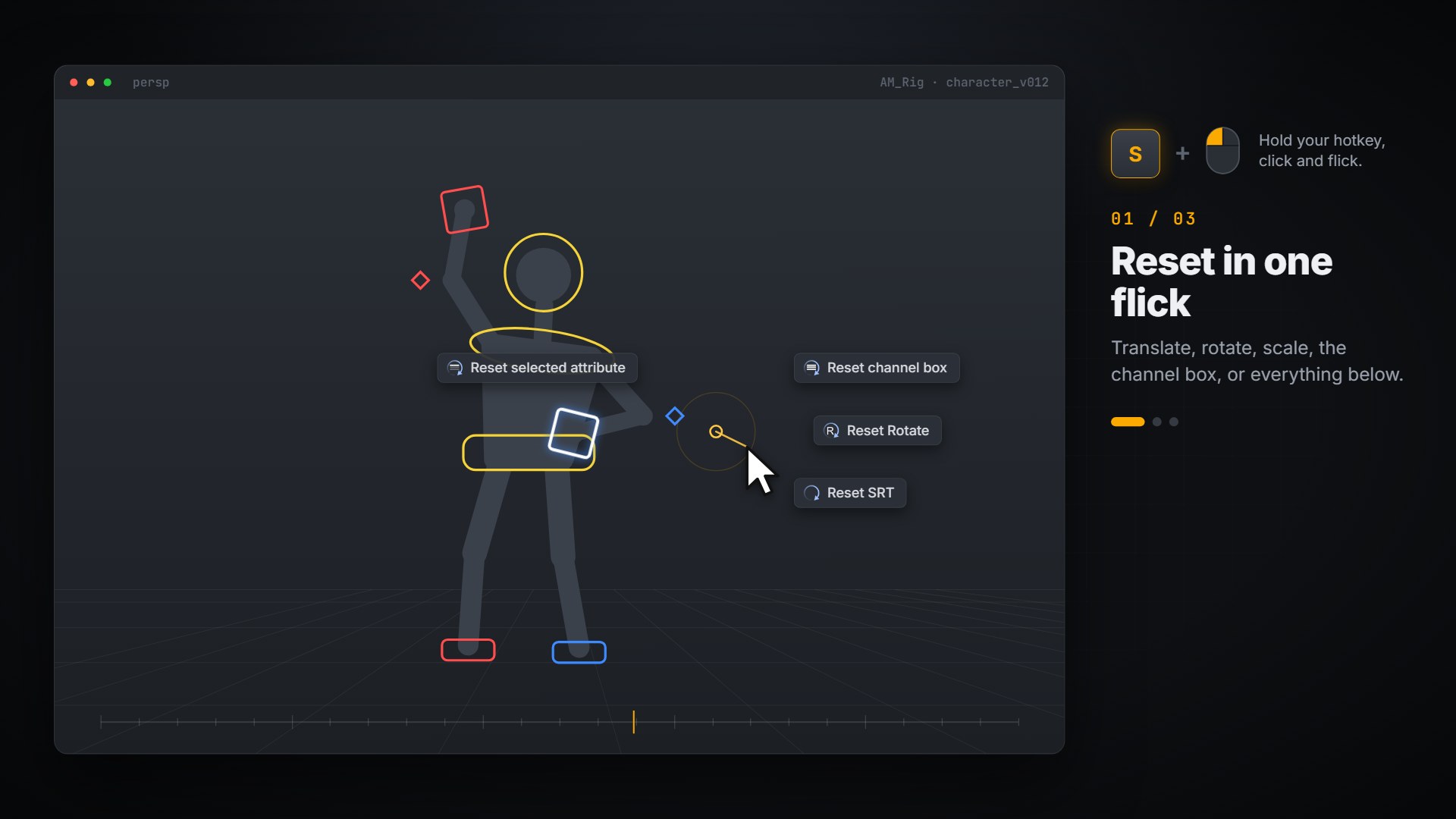
The Reset submenu open over a rig's hand control, with Reset SRT about to be picked.

Reset

DEFAULTS
Reset

Translate, rotate, scale, SRT, only the Channel Box channels you highlighted, or everything below — to the rig's own defaults, not zero.

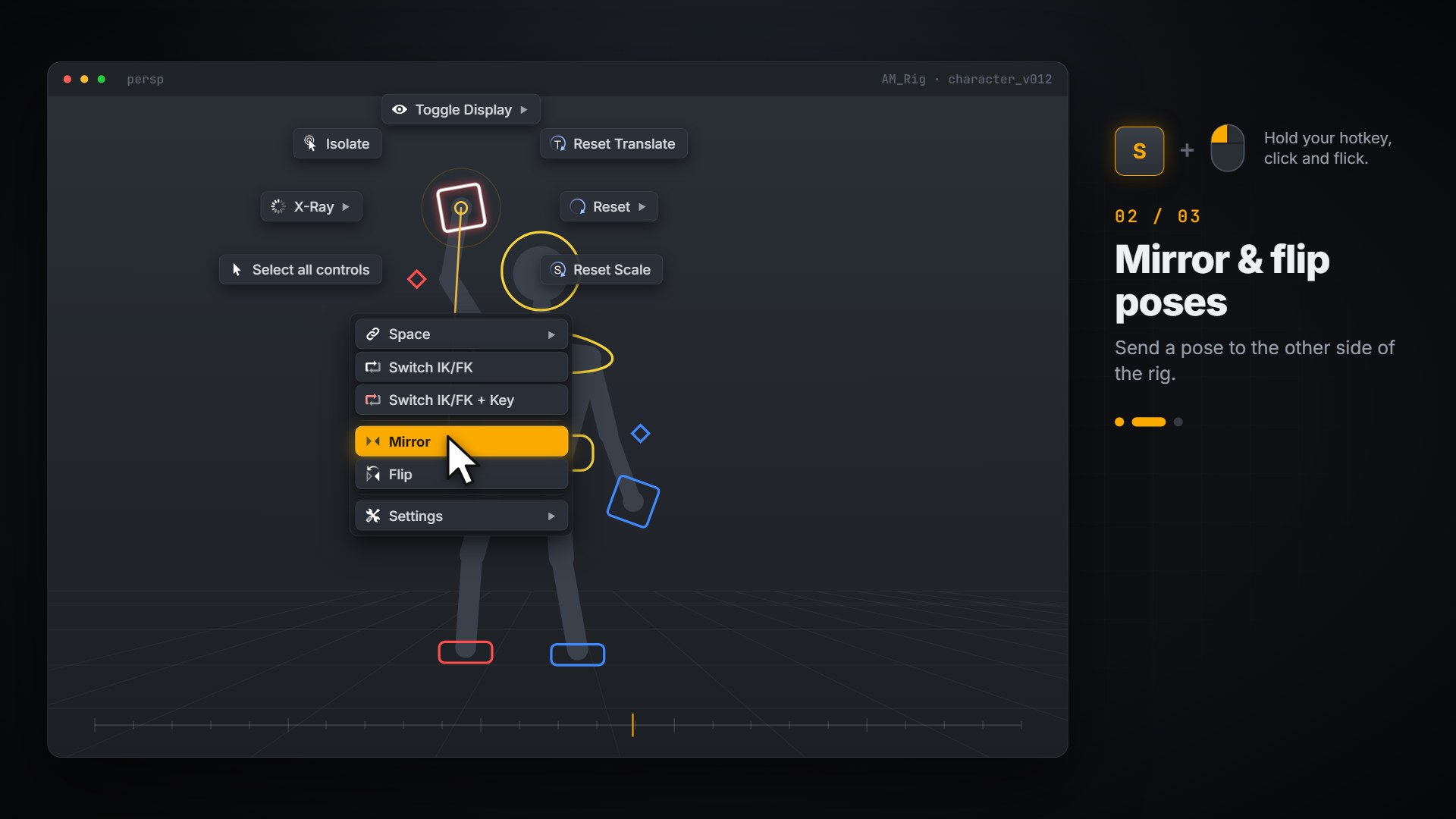
The marking menu with Mirror highlighted in the list, over a rig with one arm raised.

Mirror & Flip

L ⇄ R
Mirror & Flip

Copy a pose to the other side, or swap the two — for one control or everything below it. The opposite side is found from the name.
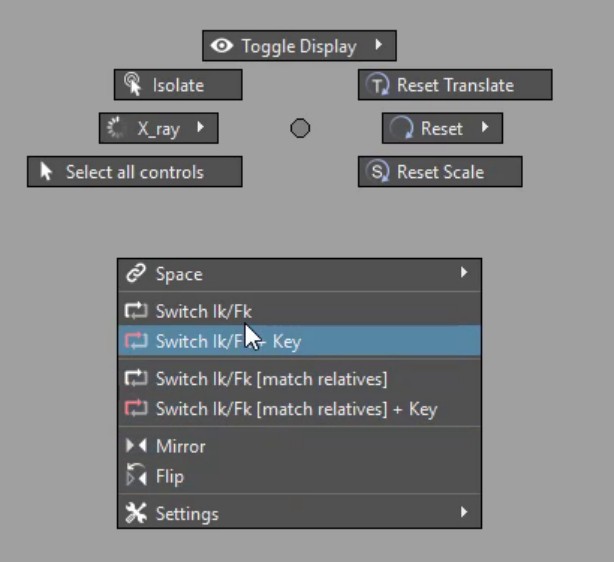
The Maya marking menu's list with Switch IK/Fk + Key highlighted.

IK / FK switch

+ KEY
IK / FK switch

Matched before it switches, so nothing pops. With + Key the old mode is keyed on the frame before and the new one on this frame.
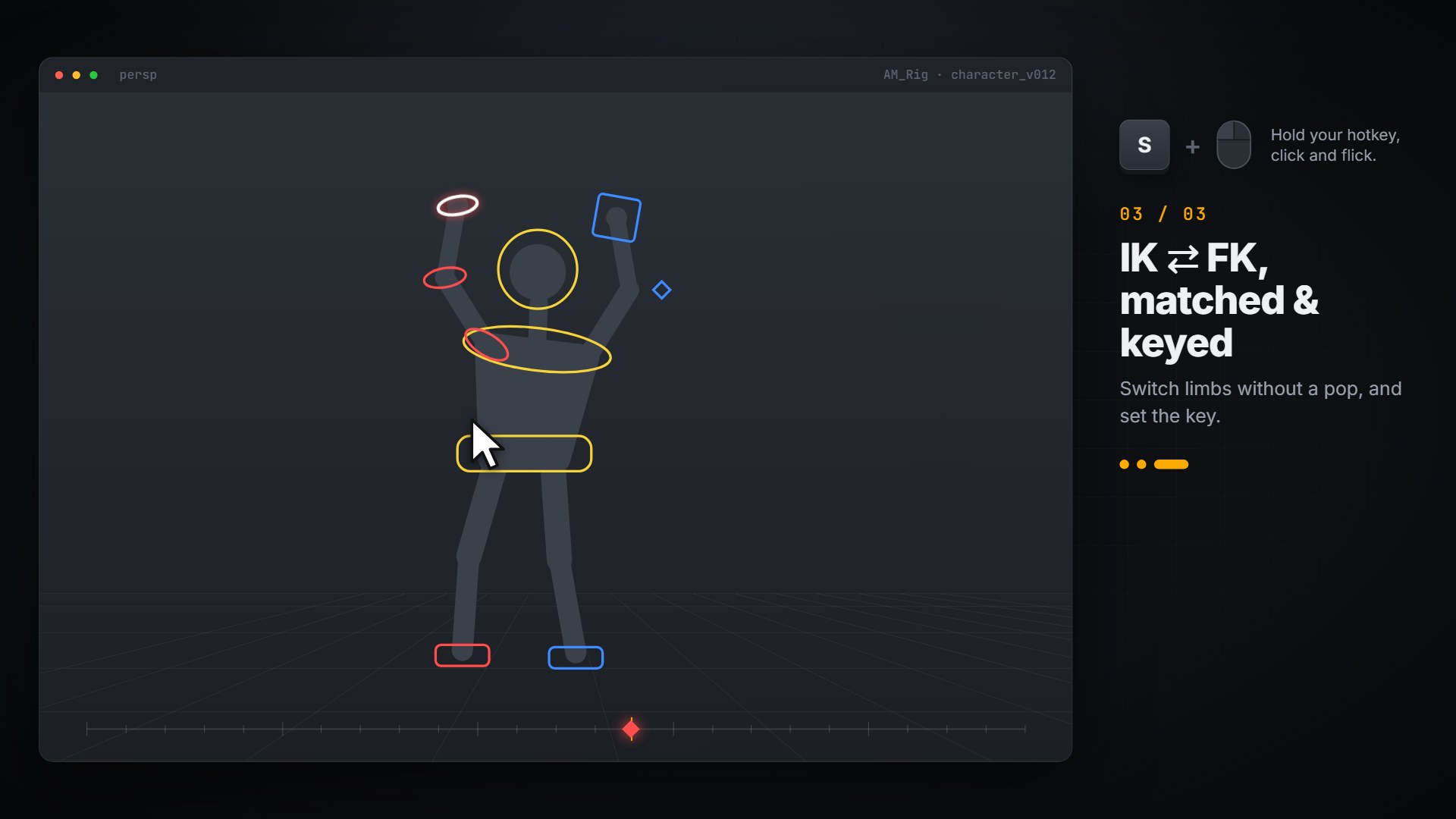
A rig after an IK to FK switch: the arm's box control has become three FK rings, and a key sits on the time slider.

Match relatives

MULTI-PART
Match relatives

Switch a part and the related parts of the same component together — a multi-segment limb in one flick.
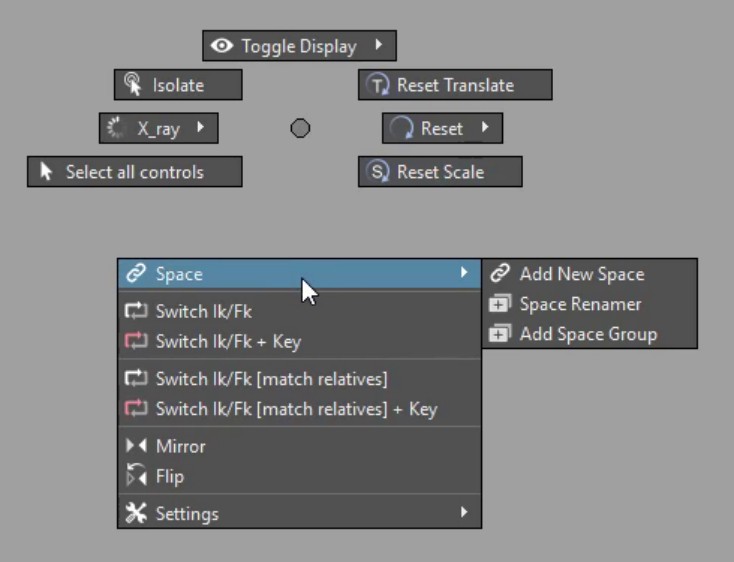
The Space submenu open from the list: Add New Space, Space Renamer and Add Space Group.

Space switching

NO JUMP
Space switching

Switch what a control follows and it stays exactly where it is. On an animated switch, both frames are keyed.
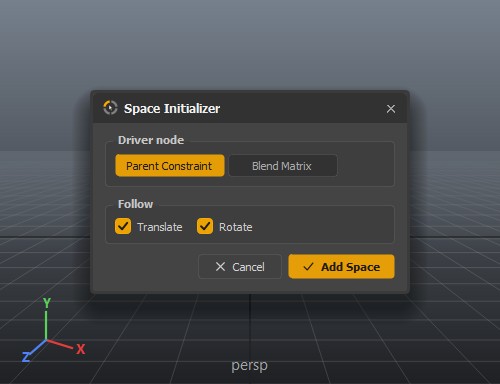
The Space Initializer dialog: parent constraint or blend matrix, and whether spaces drive translate and rotate.

Build spaces

MATRIX
Build spaces

Add a space group, then select what to follow and add it as a space — driven by a parent constraint or a blendMatrix, translate, rotate or both.
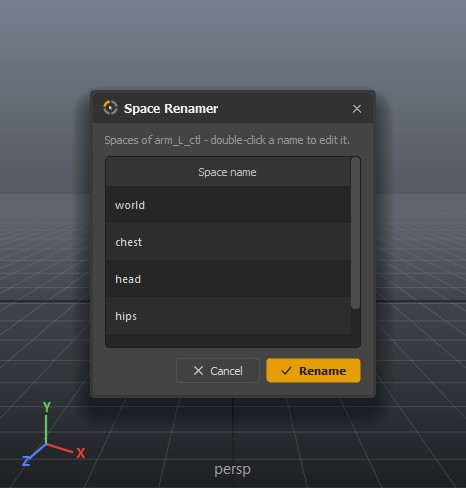
The Space Renamer listing a control's spaces — world, chest, head, hips — as editable names.

Space Renamer

NAMES
Space Renamer

Spaces are named after what they follow. Rename them to what an animator calls them — chest, head, prop — in one list.
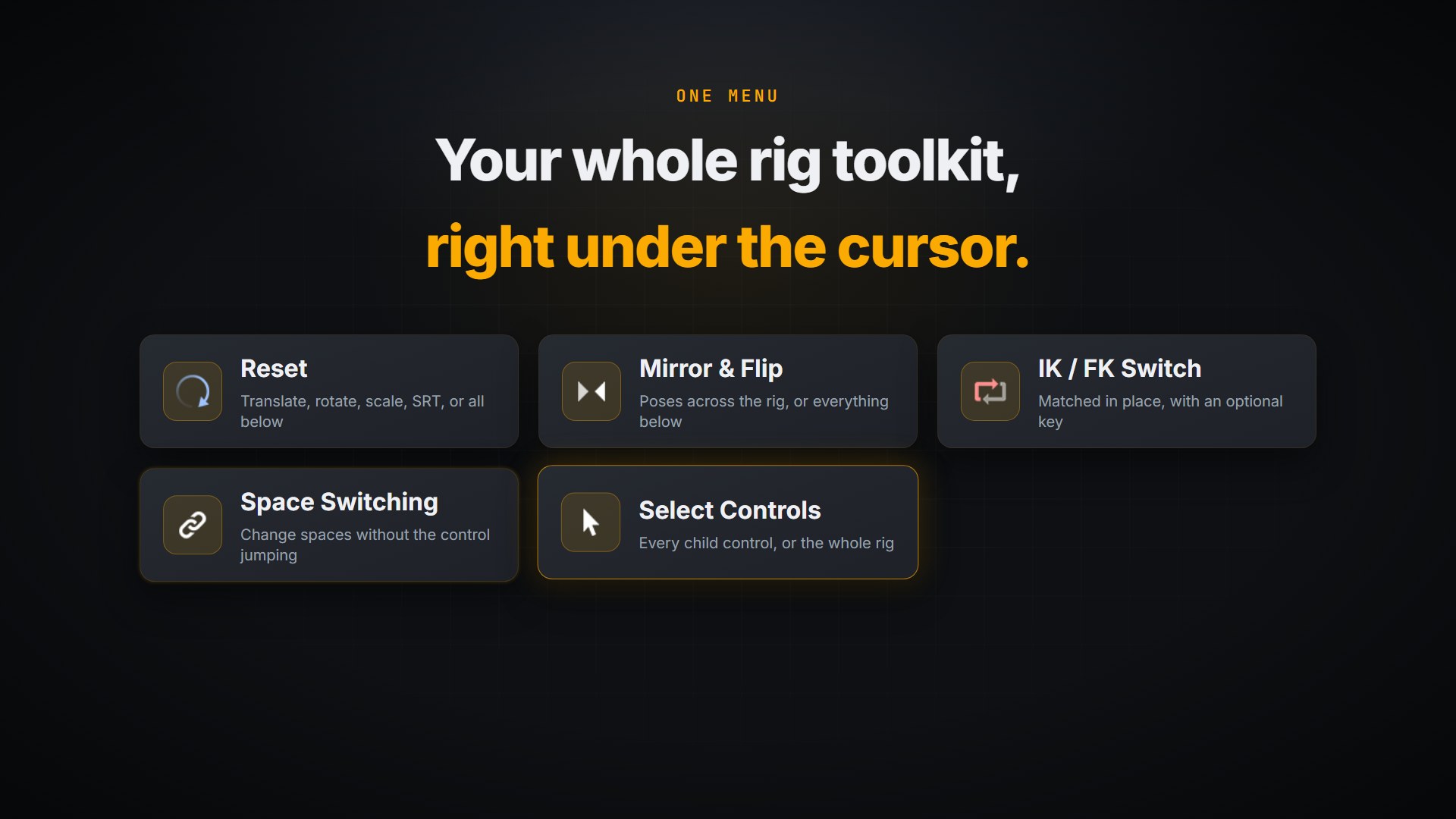
Six AM Rig Menu features on cards: Reset, Mirror and Flip, IK/FK switch, space switching, select controls, X-Ray and isolate.

Select controls

CHILDREN · ALL
Select controls

Everything below the control — every finger, every tail joint — or every control of the rig, from its own controller set.
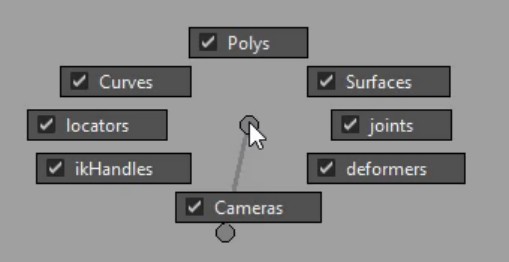
The Toggle Display submenu: Polys, Curves, Surfaces, locators, joints, ikHandles, deformers and Cameras, each ticked.

Toggle display

VIEWPORT
Toggle display

Hide the meshes to reach the controls inside them, or the joints to read the silhouette — this viewport only.
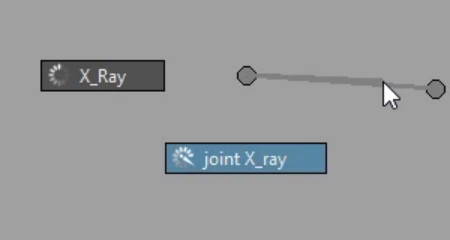
The X-Ray submenu with joint X-ray highlighted.

X-Ray & Isolate

FOCUS
X-Ray & Isolate

See through the mesh, draw the joints on top, or isolate the selection — each one flick, each one flick back.
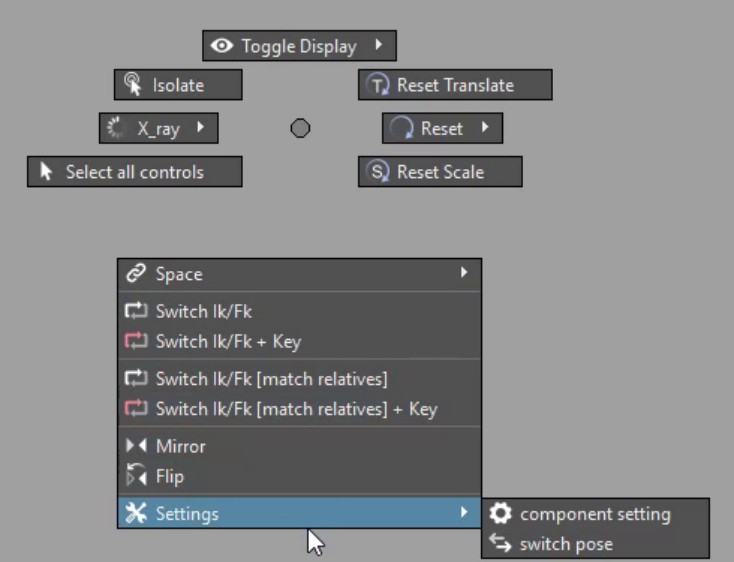
The Settings submenu: component setting and switch pose.

Settings & poses

AM_RIG
Settings & poses

Jump to the component's settings node, or toggle the whole rig between its two stored poses.
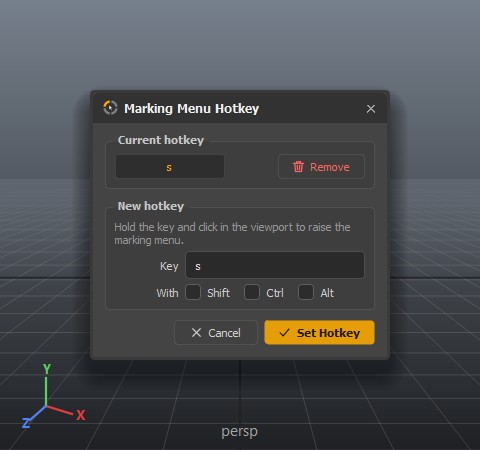
The Marking Menu Hotkey dialog, with the current key and a field for a new one plus Shift, Ctrl and Alt.

Your hotkey

ANY KEY
Your hotkey

Any key, with Shift, Ctrl or Alt. Maya's locked default hotkey set is copied first, so no other key changes.
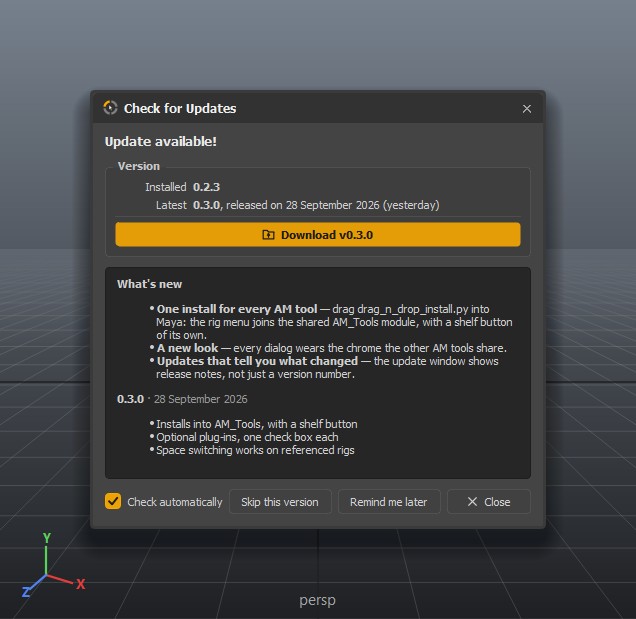
The update window listing what changed since the installed version.

Tells you what's new

UPDATES
Tells you what's new

A quiet daily check. When there is a release, it shows what changed since yours — skip it, or be reminded tomorrow.

13 features · hover or tab through a card to read it

[ WHY IT WORKS ]

Four things that make it worth installing

It opens where you are looking

A marking menu opens under the cursor, and every command sits in the same place every time. After a day your hand knows the way; after a week you stop reading it.

It knows your rig

On an AM_Rig control it offers IK/FK, mirroring and the rig's own controller set. On anything else it offers what still works. It never shows a command that would fail.

Nothing jumps

Space switches keep the control's world position. IK/FK matches before it switches. Both key the right frames when you ask — so a switch in the middle of a shot is one flick, not a clean-up.

One module with your other AM tools

It installs into the same AM_Tools module as Am_Picker and AM Landmark, finds it by itself, and starts with Maya. Removing it later leaves the others exactly where they are.

[ WHO IT'S FOR ]

Made for the people who pose all day

Animators

Reset, mirror, switch and select without leaving the viewport. The commands you use a hundred times a shot, under your hand.

AM_Rig users

Every AM_Rig character gets the full menu the moment it is in the scene — IK/FK, mirroring, stored poses and the controller set.

Riggers

Add spaces to a control in three flicks, and give your own rigs the full menu by adding a few attributes — all documented.

Small studios

Free, MIT licensed, one file to install on every seat, and updates that tell everyone what changed.

[ INSTALL ]

Running in about thirty seconds

No installer to run as administrator, no folders to move, no environment variables — and no restart.

Unzip it anywhere

Downloads, the desktop, a network share — the installer copies what it needs.

Drag one file into Maya

Drop drag_n_drop_install.py into a viewport. It finds your AM_Tools module, lets you pick the optional plug-ins, and starts the tool straight away.

Pick your hotkey

Click the new shelf button, choose Set Marking Menu Hotkey, and hold that key over a viewport. That's it.
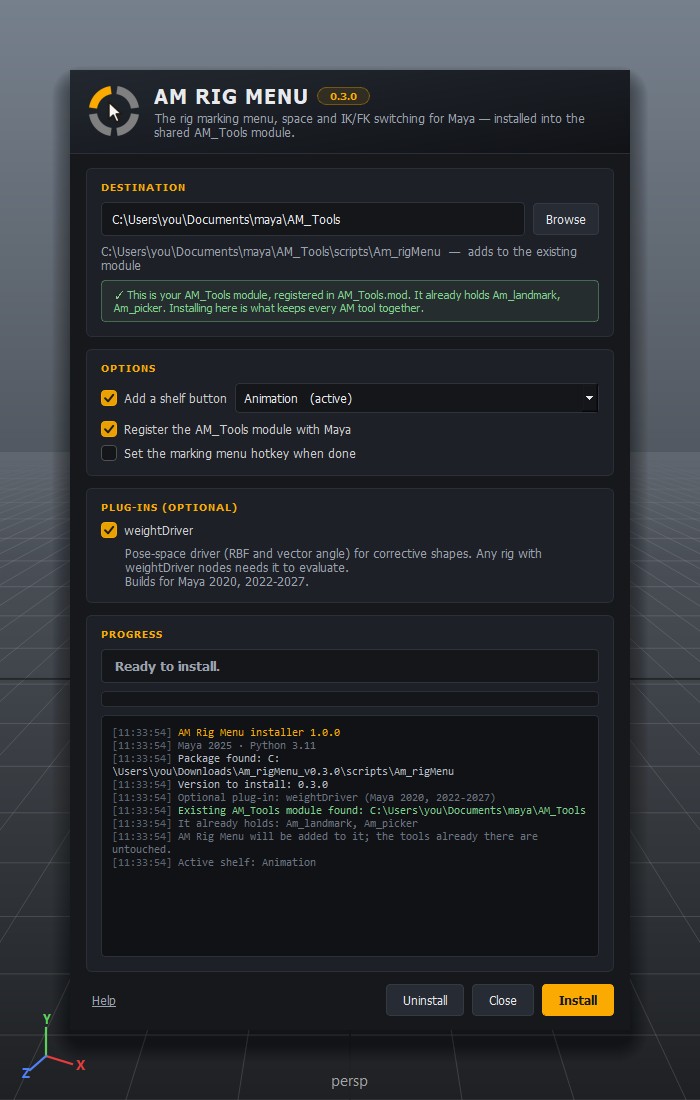
The AM Rig Menu installer in Maya: it has found the existing AM_Tools module, which already holds Am_landmark and Am_picker, and offers the optional rig plug-ins.
The installer finds the AM_Tools your other AM tools use — even if its .mod file has gone — and says what is already in it.

Then read the help

Every item in the menu, spaces and IK/FK in depth, the attributes a rig of your own needs, and what to do when something does not work.

Open the help
★ Free & MIT licensed

Download AM Rig Menu

Version 0.3.0 · Maya 2020 and later on Windows, macOS and Linux. No account, no licence key, no payment — now or later.

Why the email? So we can tell you if a release breaks something, and so the link is yours rather than a public file URL. One message now, and release notes only when there is a new AM Rig Menu release. Unsubscribe from any of them.

Current version 0.3.0 · 1.4 MB

[ WHAT'S NEW ]

Still being built

AM Rig Menu tells you when there is a new version, and what it added — combining the notes of every release you skipped, not only the newest.

0.3.0 new
  • One install for every AM tool — drag one file into Maya: the rig menu joins the shared AM_Tools module, with a shelf button of its own.
  • Optional plug-ins — the rig's plug-ins ship with the tool, one check box each in the installer.
  • A new look — every dialog wears the chrome the other AM tools share.
  • Updates that tell you what changed — release notes in the update window, not just a version number.
  • Space switching on referenced rigs — switching and adding space groups now work on referenced characters.

[ FAQ ]

Questions worth answering

Yes. AM Rig Menu is MIT licensed: use it on paid work, change it, pass it on — keep the notice, and expect no warranty. There is no paid tier and nothing to activate. If it saves you time and you want to give something back, there is a donation link, and the money goes to orphaned children.

No. On any rig you get Reset, Toggle Display, X-Ray, Isolate and the whole Space submenu — building spaces included. AM_Rig controls add IK/FK switching, mirror and flip, selecting the rig's controls and the Settings items. A rig of your own can unlock those too by carrying a few attributes; the help lists them all.

Maya 2020 and later, on Windows, macOS and Linux, with whichever Qt your Maya ships — PySide2 or PySide6. It is developed and tested on Maya 2024 to 2026.

Yes. The one command that reaches outside your scene is Add Space Group on a referenced control: a group cannot be parented inside a reference, so it is added in the rig's own file and the reference is reloaded.

Run the new installer. It finds the old install in any Maya version, offers to switch it off so Maya does not load both, and carries your hotkey over. The menu-bar menu is gone; its commands are on the shelf button now, like every AM tool.

AM Rig Menu checks once a day in the background, off the main thread, and stays silent when there is nothing to say or no connection. When there is an update it shows what changed across every release you skipped. You can skip a version or ask to be reminded tomorrow, and switch automatic checks off in the same window.

So the download link belongs to you rather than being a permanent public file URL, and so we can reach you if a release turns out to break something. One message now and release notes when there is a release. No account is created, and you can unsubscribe from any message.