IK/FK switching
On an AM_Rig limb — an arm, a leg — the list offers the IK/FK switch. It matches before it switches: the limb ends up in the same pose, driven the other way. Nothing pops.
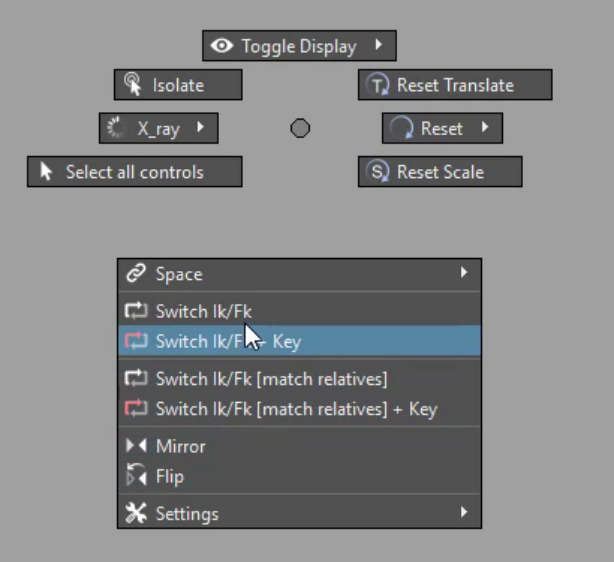
| Item | Does |
|---|---|
| Switch IK/FK | Match the limb and switch it from IK to FK, or FK to IK. |
| Switch IK/FK + Key | The same, keyed: the limb is keyed in its old mode on the previous frame and in its new mode on the current one. |
| Switch IK/FK [match relatives] | Switch this part and the related parts of the same kind in the same component together. |
| Switch IK/FK [match relatives] + Key | The same, keyed. |
Select any control of the limb — the IK hand, an FK joint, the pole vector — and flick. The menu finds the limb's settings from the control, so you do not have to hunt for the switch attribute.
When the items appear
- Switch IK/FK and + Key appear on a control that knows its limb: an
AM_Rig control with a
match_nodesconnection. - The match relatives variants appear when the limb also has related
parts (
has_relatives) — for example a multi-part limb whose segments should switch together.
AmRig3 rigs and AM_Rig 2 rigs are both supported.
Keying a switch
Go to the frame where the switch should happen and use + Key. The limb's controls, its IK/FK blend and its stretch are keyed in the old mode on the frame before and in the new mode on this one, so the switch happens cleanly between two frames instead of drifting across the whole interval.