Settings and poses
The Settings ▶ submenu, at the bottom of the list, holds two AM_Rig commands.
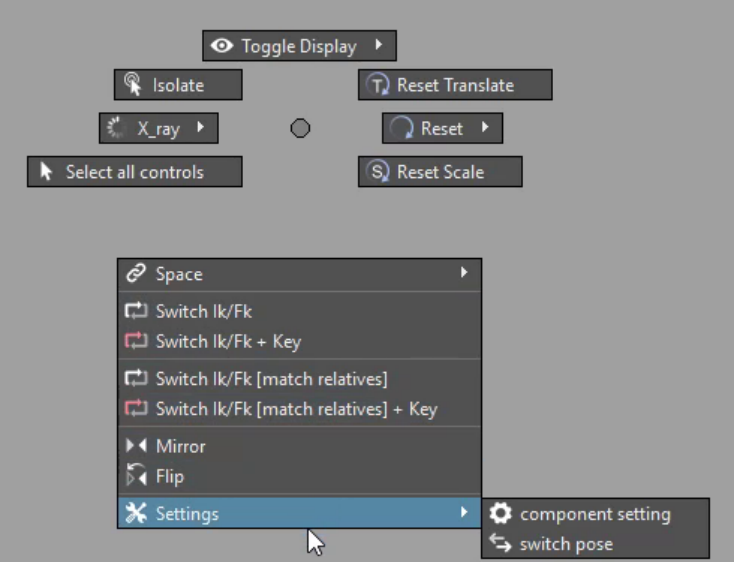
Component setting
Selects the settings node of the component the control belongs to — where
AM_Rig keeps a component's options, such as an arm's IK/FK blend or its
stretch. It walks up from the control to the first parent that carries a
componentType attribute and selects that, so the options are in the Channel
Box without a trip through the Outliner.
Switch pose
Toggles every control of the rig between two stored poses — for example the bind pose and a rest pose. Each flick goes to the other pose.
The poses are stored on the controls by AM_Rig, as Am_pose_0 and Am_pose_1;
controls without them are left alone. Which pose comes next is remembered in
Maya's preferences, so it carries on from where you left it.