
Your screen is the canvas
Am_sketch is a drawing layer for Windows. Press a hotkey and draw straight over anything on your screen — slides, PDFs, the browser, a video call, a reference photo — with pressure-sensitive brushes, a highlighter, shapes, text and measuring guides.
This manual starts from nothing: installing, your first stroke, and then every tool, setting and shortcut in turn.
Start where you are
-
I want it running
Run the installer, import the licence file from your email, and press one hotkey.
-
It is running — now what?
Draw, pick a colour, undo, clear, and hand the mouse back to your other programs. Five minutes, start to finish.
-
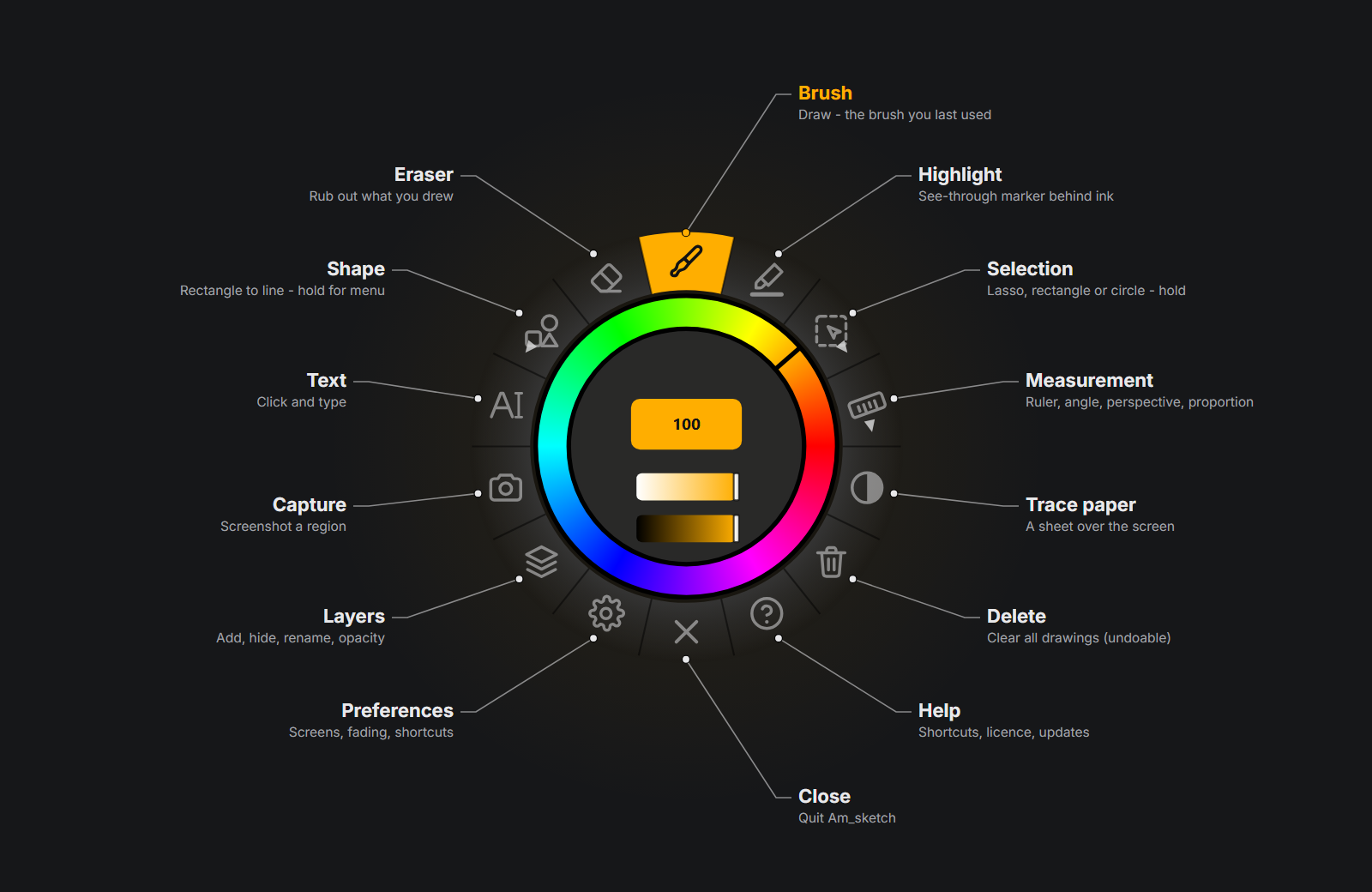
What is on the ring?
Fourteen tools round a hue ring: what each slot does on a click, a right-click and a long press.
-
Brushes and colour
Nineteen brushes, their settings and your own presets; the hue ring, fourteen palettes and the colour library at the pen.
-
Measure and trace
A ruler strokes snap to, an angle guide, a perspective guide, a proportion guide — and trace paper.
-
Something is wrong
A tool that will not switch, a hotkey that does nothing, text that disappeared — the usual causes and what to do.
Every colour has a job
The promo film walks once round the hue ring. Each colour stands for something you will do with Am_sketch — and each has a page of recipes.
Recipes for teaching · Recipes for drawing
At a glance
| Version | 1.0.0 |
| Windows | 10 and 11, 64-bit |
| Input | Mouse, or a pen with pressure and tilt through Windows Ink |
| Screens | Every monitor, or the ones you choose |
| Licence | A personal file with your name on it, checked offline |
| Your files | Documents\Am_sketch — settings, brushes, licence |
| Start | Ctrl+Shift+C draw / pass through · Ctrl+Shift+D show / hide |