Proportion
A box you drag over anything on screen. It names its ratio — 4 : 3, 16 : 9, 1 : φ — and divides itself into thirds, golden sections or diagonals.
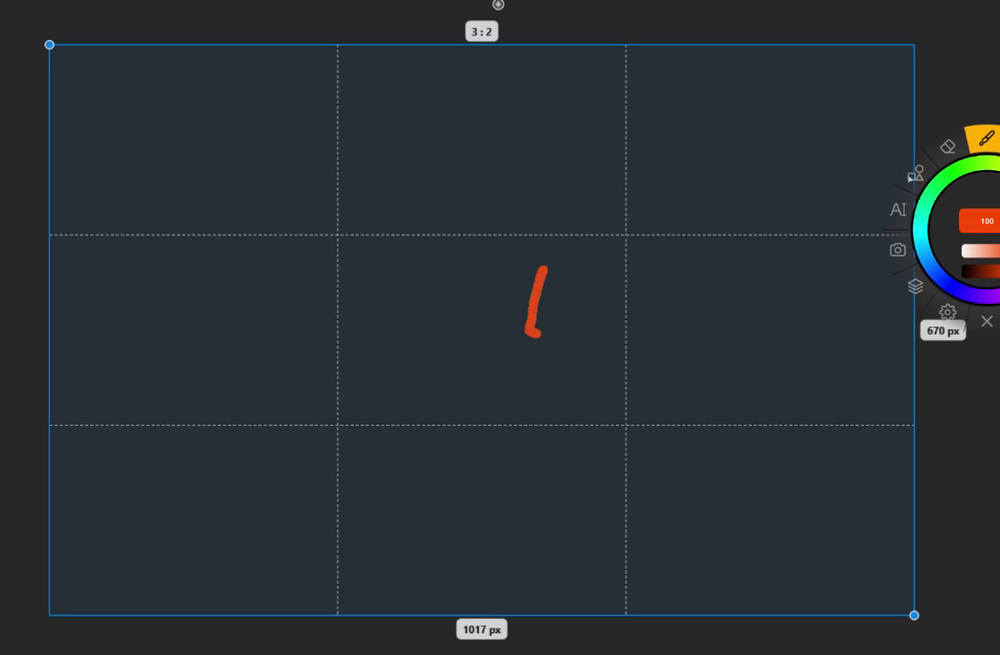
Using it
Hold the Measurement slot and choose Proportion.
- Drag any corner to resize the box.
- Shift + drag a corner keeps the current ratio.
- Alt + drag, or middle-drag, the body to move it.
- Badges show the ratio above the box, the width below and the height to the right. The live value reads W × H (ratio).
- Draw along it: brush strokes snap to the edges of the box.
The ratio
When the box is within about 1 % of a well-known ratio, the badge names it:
1 : 1 · 5 : 4 · 4 : 3 · 1 : √2 (A-series paper) · 3 : 2 · 1 : φ (golden) · 16 : 9 · 2 : 1 · 2.35 : 1 (cinema) · 3 : 1
Otherwise it shows the number, such as 1.62 : 1. A tall box shows the ratio the other way round.
Guide lines
Choose them in the measurement properties, under Guide:
| Guide | Lines inside the box |
|---|---|
| None | Just the box |
| Rule of thirds (default) | Two lines each way, at a third and two thirds |
| Golden section | Lines at 0.382 and 0.618 of each side |
| Diagonals | Both diagonals, plus four lines that meet them at right angles |
In the studio
Lay the box over a reference, read its ratio, and drag a second box of the same ratio (Shift) over your own drawing to check the composition against the thirds.