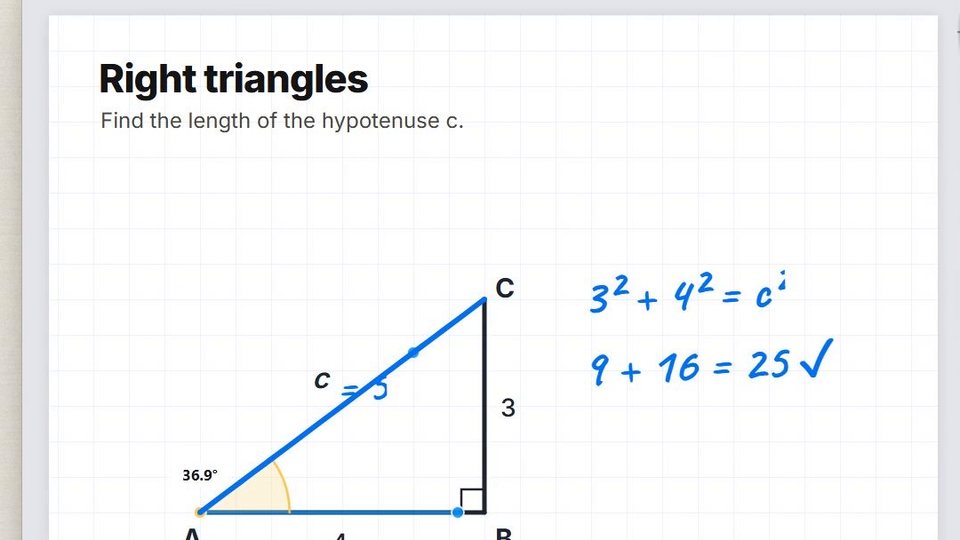
Angle
A protractor: two arms from one corner, and the angle between them read out as you move them.
Using it
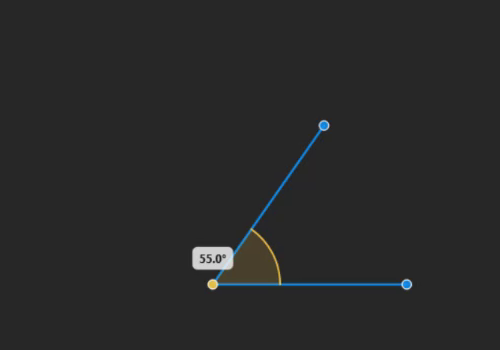
Hold the Measurement slot and choose Angle.
- Three handles: the end of each arm (blue) and the corner (amber).
- Drag an arm's end to swing it; drag the corner to move the angle's point.
- The badge above the corner shows the angle between the arms, from 0 to 180, to one decimal — in degrees, or radians if you choose them (right-click the guide, or the measurement properties).
- An arc marks the angle once the arms are long enough.
- Draw along it: with the Brush, strokes near an arm snap to it.
- Move it: Alt + drag, or middle-drag the body.
In class
Put the corner on the vertex of a triangle on the slide and swing the arms along its sides: the class sees the angle measured, not just stated. The film's blue chapter does exactly this.