Brushes
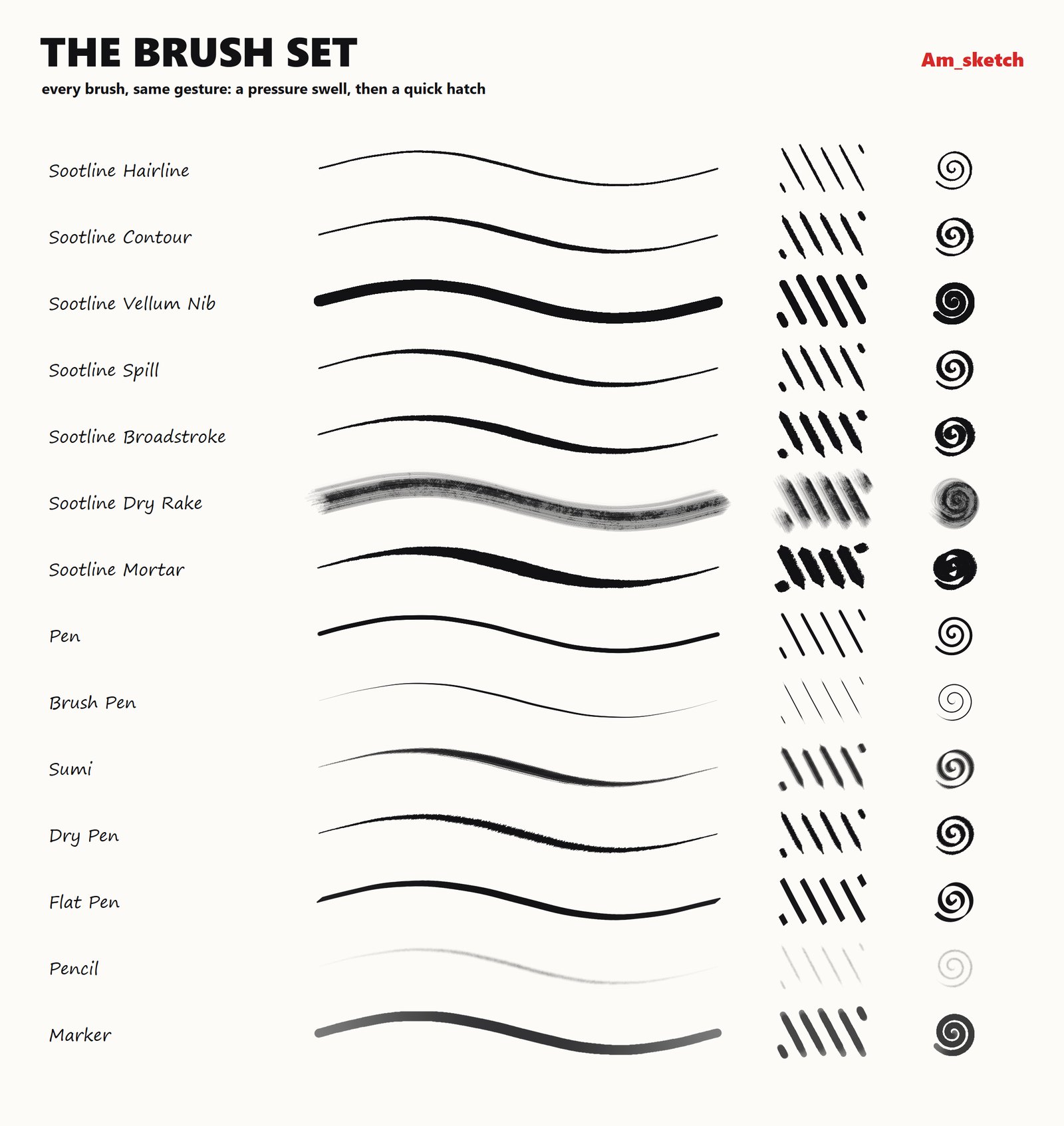
Nineteen brushes, from a plain pen to textured inks, all drawn by the same engine: pressure, tilt and speed shape every stroke.
Picking a brush
- Right-click the Brush slot (twelve o'clock on the ring). Brush Properties opens beside the ring.
- The list on the right shows every brush with a sample stroke. Click one.
The Brush slot always gives you the brush you used last, also after a restart. The first time, that is Pen.
The brushes
Built in
| Brush | What it is like |
|---|---|
| Pen | A hard round pen with a slight pressure taper and tapered ends — the everyday line. |
| Flat Pen | A broad-edged calligraphy nib held at a fixed angle: the line is thick or thin depending on the direction you move, not on pressure. |
| Pencil | Graphite with a fine built-in tooth; pressure changes both width and darkness. |
| Marker | A felt marker. Overlapping strokes do not get darker than its opacity, so what you set is what you see. |
| Watercolor | A soft, translucent wash with a darker core. |
| Brush Pen | An ink brush pen: needle-sharp ends, width driven strongly by pressure. |
| Chalk | A broad chalk or charcoal block that breaks into specks. |
| Sumi | A sumi-e ink brush with a real brush tip and paper grain. |
| Dry Pen | A small dry ink pen with paper grain and a little scatter. |
| Bristle | A wide, splayed bristle rake. |
| Smudge | A soft, smeary round brush in the current colour. (It paints; it does not drag the colours already on the screen.) |
The Sootline pack
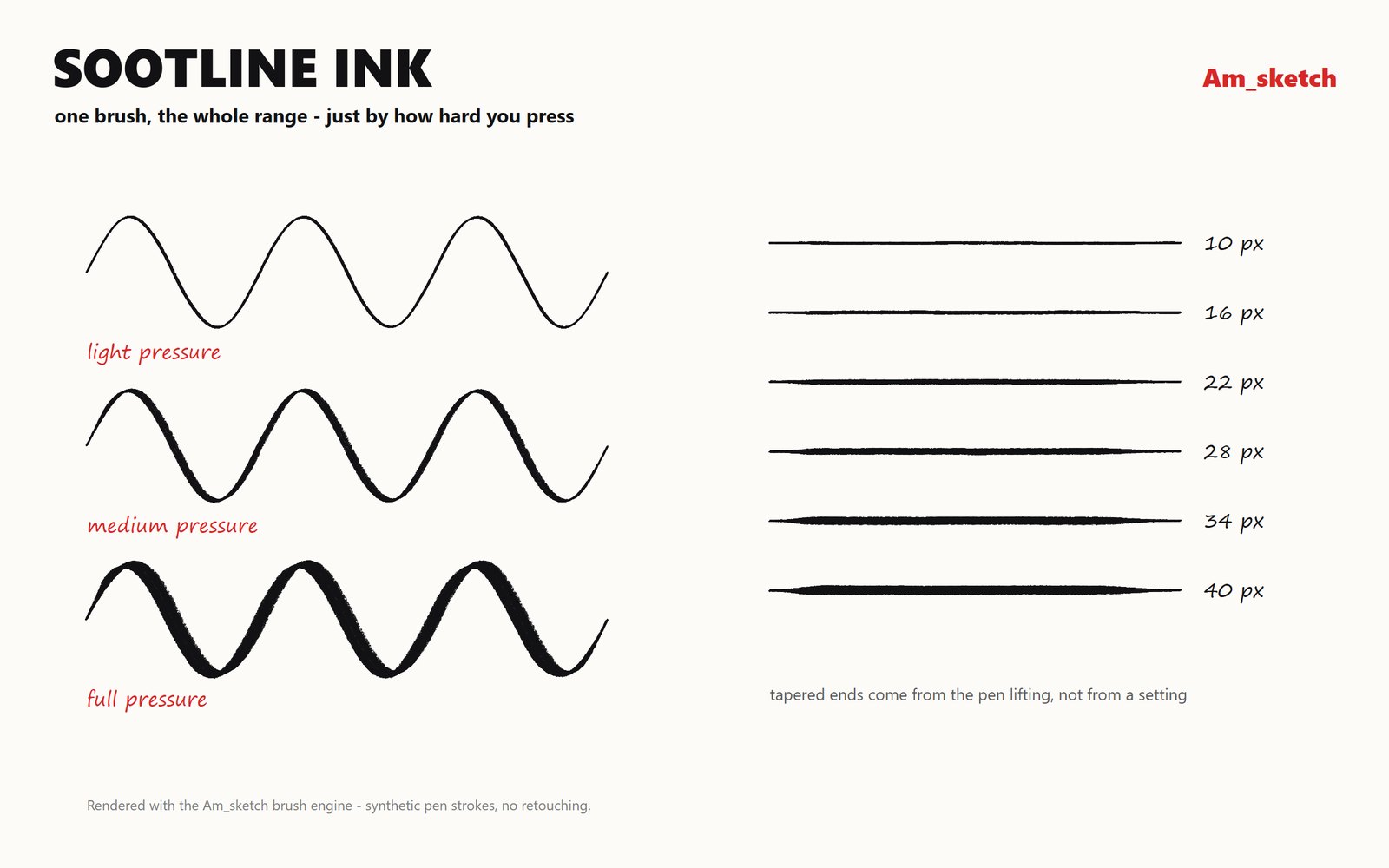
Eight sumi and ink brushes ship with Am_sketch, each with its own tip and paper grain:
| Brush | Size | Character |
|---|---|---|
| Sootline Hairline | 9 | A liner with a steep nib angle |
| Sootline Contour | 25 | The everyday ink line |
| Sootline Broadstroke | 38 | The same nib, opened up |
| Sootline Spill | 23 | A wet, flooding line |
| Sootline Mortar | 80 | Sumi with a solid core and a bitten edge |
| Sootline Mortar Wide | 500 | The same, for washes and fills |
| Sootline Dry Rake | 150 | A splayed spatter rake |
| Sootline Vellum Nib | 25 | A round pen on vellum tooth |
You can add brushes of your own — see Brush settings and Your own brushes and textures.
One colour for every brush
The brush colour belongs to the ring, not to a brush: switching from Pencil to Marker keeps your colour. Switching brush does reset the size to that brush's own size.
Size, while you draw
| Do this over the screen | To change |
|---|---|
| Middle-drag left / right | Size (1 – 512) |
| Shift + middle-drag up / down | Smoothing |
| Ctrl + middle-drag up / down | Opacity ("Strength") |
| Alt + middle-drag up / down | Hardness |
The brush outline stays put and a label shows the value while you drag.
Straight lines
- Shift + click draws a straight line from the end of your last stroke to the click. Keep clicking to draw a polyline.
- Shift + drag keeps the stroke horizontal or vertical — whichever way you move first.
Both work with the Brush only. Changing tool or clearing the screen starts afresh.
Mouse or pen
- With a pen, pressure and tilt come from the pen itself and the stroke follows the pen exactly.
- With a mouse, Am_sketch smooths the stroke a little and, for pressure-sensitive brushes, simulates pressure: light as you start, heavier the longer you hold the button, lighter when you move fast. That is why a mouse stroke still tapers.
A live Pen pressure reading in Brush Properties shows what your pen is sending.
Swap to the eraser
X swaps between the Brush and the Eraser while either is the active tool. Win+Ctrl+Shift + right-drag erases without changing tools at all.