Widgets
Sliders, dials, switches and 2D pads that drive rig attributes directly — dragged onto the canvas, already set up.
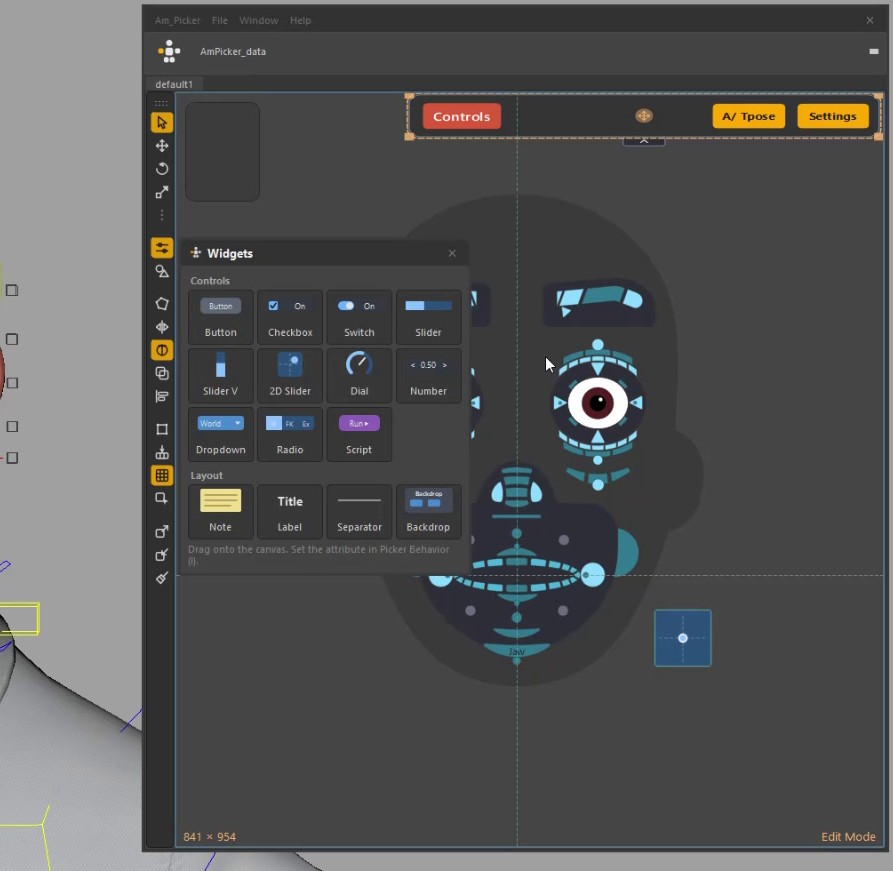
The Widgets panel: controls on top, layout pieces underneath.
The Widgets button on the edit toolbar opens a small panel of ready-made widgets. Drag one onto the canvas, or double-click it to drop it in the middle of the view.
| Group | Widgets |
|---|---|
| Controls | Button, Checkbox, Switch, Slider (horizontal and vertical), 2D Slider, Dial, Number field, Dropdown, Radio (one button per enum entry), Script button |
| Layout | Note, Label, Separator, Backdrop |
A dropped control already has the right type, so Picker Behavior opens on its options. Fill in the attribute and it works.
Pointing a widget at an attribute
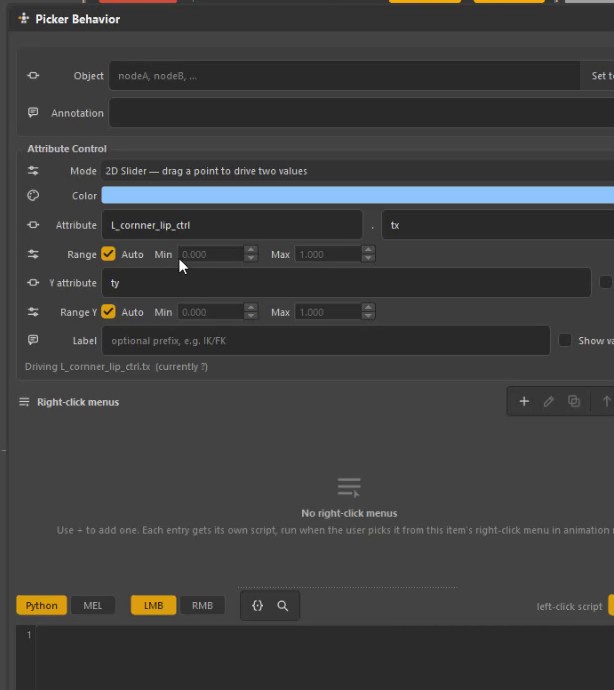
A 2D Slider driving a lip corner's translate X and Y.
Picker Behavior ▸ Attribute Control:
| Field | What it is |
|---|---|
| Mode | What kind of control — slider, toggle, enum, 2D slider… |
| Style | How it looks. A slider can be a bar, a dial or a number field; a toggle a fill, a checkbox or a switch; an enum a dropdown or a row of buttons |
| Attribute | The node and attribute it drives |
| Range | Min and max, or Auto to read the attribute's own limits |
| Y attribute / Range Y | 2D Slider only: the second attribute |
| Spring back | 2D Slider only: return to the centre on release |
| Color | The widget's own parts — the checkbox and switch when on, the slider fill, the dial arc, the 2D knob, the chosen radio button. Auto uses a shade of the item colour |
| Label / Show value / Key | Text on the widget, the live number, and a key-on-change switch |
The full reference for the attribute side is on Attribute control.
Using them
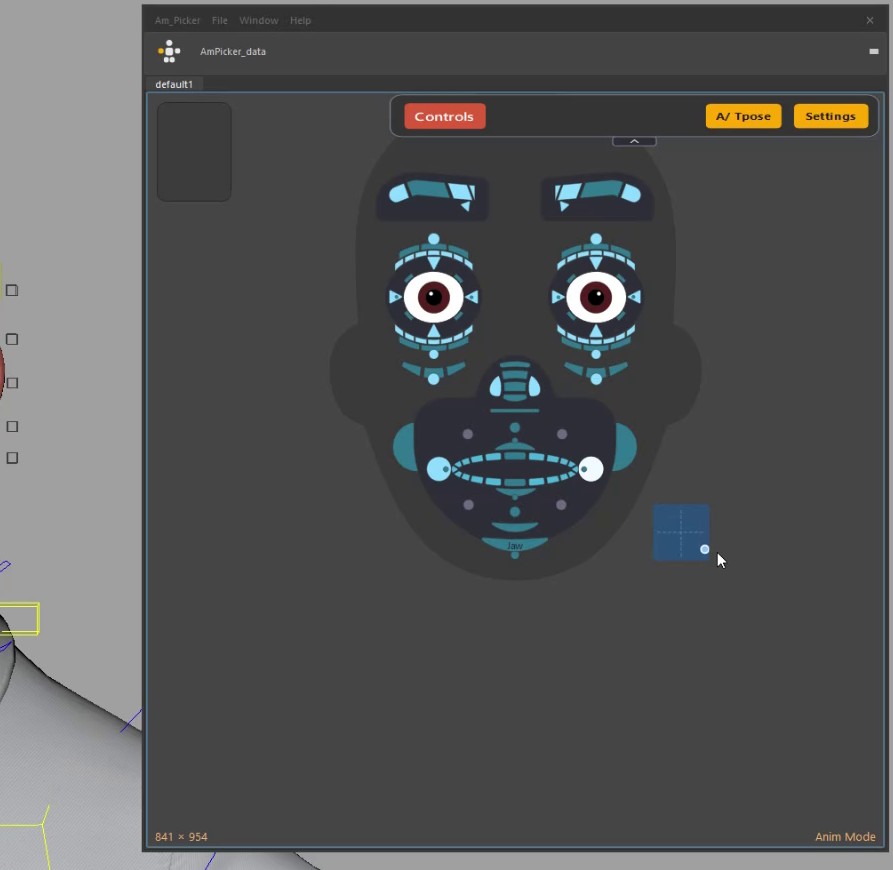
- Live, both ways. Drag the widget and the rig moves. Drag the control in the viewport, or type in Maya's Channel Box, and the widget follows as you go.
- Right-click to reset. In Anim mode, right-click a slider, dial, number field or 2D slider and its attribute goes back to its default. One Ctrl+Z undoes it.
- Number field: drag sideways to scrub, click to type an exact value.
- 2D Slider: drives two attributes at once — eye aim, mouth corners.
Layout pieces
| Widget | Does |
|---|---|
| Note | Text for whoever uses the picker. Double-click to edit; Enter starts a new line, Ctrl+Enter finishes |
| Label | A caption with no click behaviour |
| Separator | A line between groups |
| Backdrop | Sits behind your controls with a title on top. Moving it with the Move tool moves everything on it |
Existing pickers keep their look — the Style row only changes items you set it on.